
Gravity Forms 3.0 rolls out to users this week and we’re happy to declare Image Hopper 2.19.0 fully compatible with this major update from the Gravity Forms team. While that may be the headline act, there’s still plenty more to like about this release.
You’ll love that files now show a processing state while waiting for the upload to finalize, reordering images on mobile and tablets got a big quality-of-life update, and the pending upload alert got replaced. There are new security enhancements and a number of compatibility fixes for a range of add-ons.
Compatibility with 3.0
Quite a bit of legacy code has been removed or replaced in Gravity Forms 3.0. Part of this modernization effort included a change in how field data is saved. Image Hopper 2.19.0 aligns with the new process, and once updated uploads will continue validating and saving like normal.
Older versions of Image Hopper aren’t compatible with Gravity Forms 3.0 (uploads won’t be saved). Update Image Hopper to 2.19 when you make the jump to 3.0.
A Nicer Upload Experience
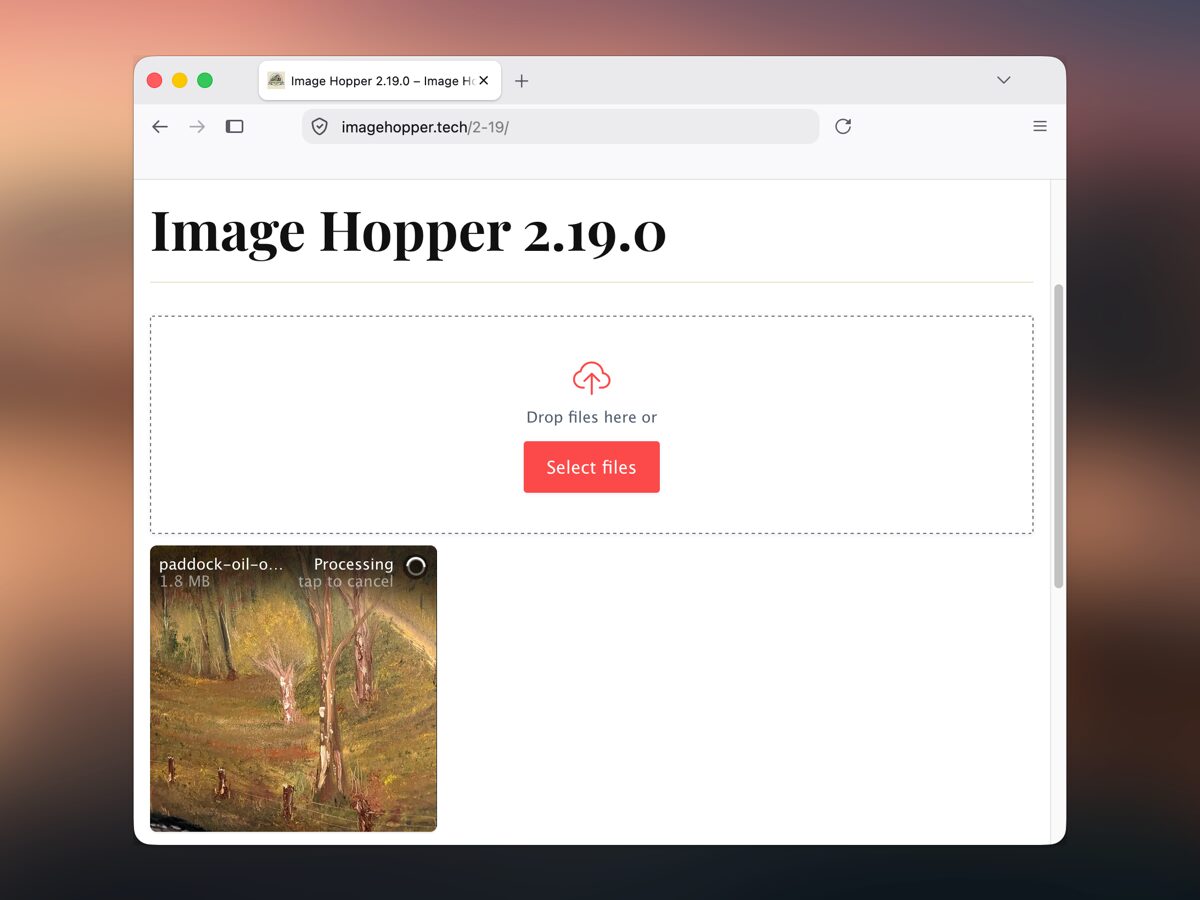
Ever had an upload sit at 99% for a second or two before completing? That pause is WordPress finalizing the upload. It’s normal, but on a busy site it’s long enough that a user might think it broke. To improve this, Image Hopper now displays a “Processing” loading indicator while it waits for the response.
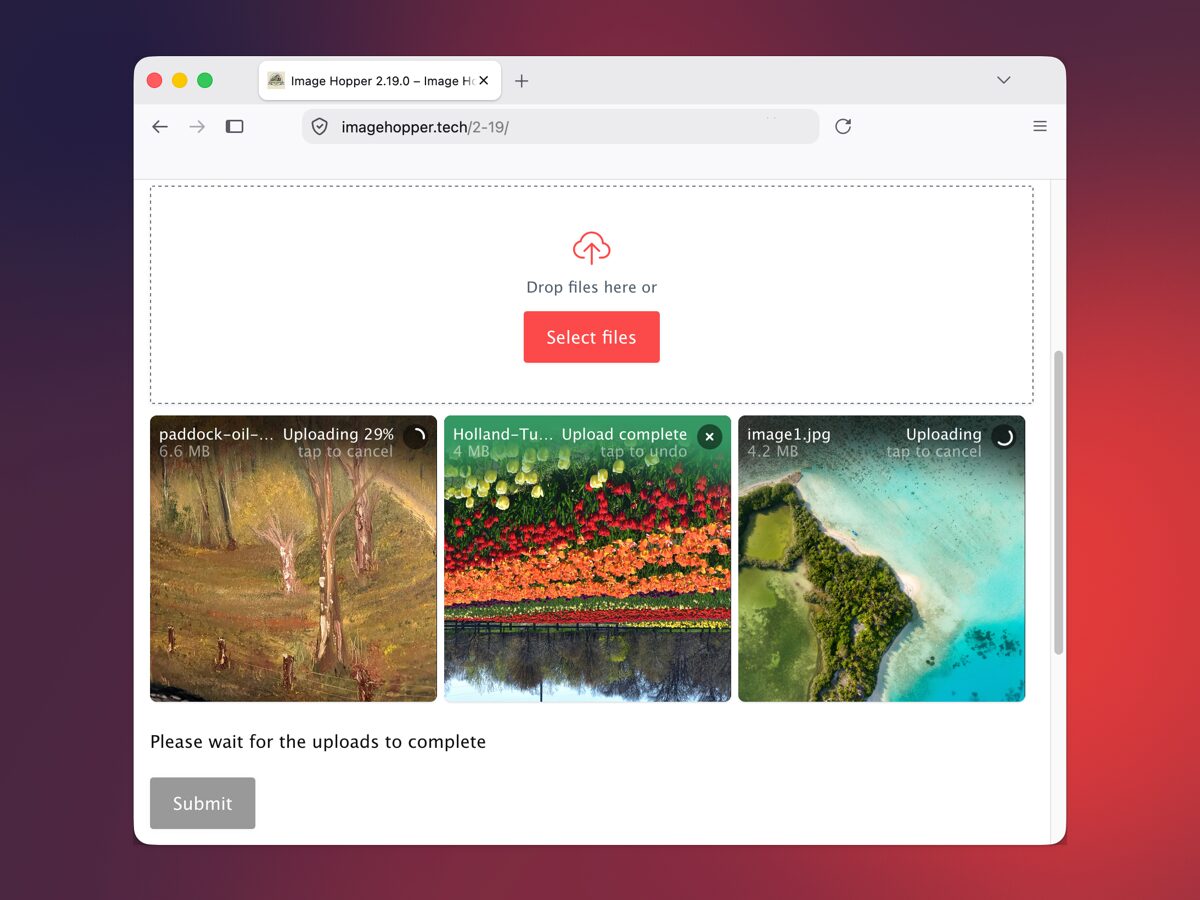
In earlier versions, submitting a form with an in-progress upload would stop the submission and display an alert box. It worked, but we felt the experience could be friendlier. Image Hopper temporarily locks the submit / next / previous buttons and displays an inline message explaining why. The message gets announced by screen readers, and form buttons re-enable the moment the last upload finishes.
On smaller touch devices (like a mobile), you might have unintentionally started reordering an image during a page scroll. We fixed this in 2.19 by switching from press to press-and-hold to begin reordering. After all, I’m scrollin’ here!
Other Improvements
Field rendering performance has been improved (especially for large forms), and additional security hardening measures were implemented. A couple of prepopulating edge-cases got fixed. And compatibility fixes for Image Hopper and Stripe, Advanced Post Creation, and Gravity Wiz Nested Forms add-ons.
How to Get the Update
You can update Image Hopper using WordPress’ one-click update feature, or download the latest version from your account dashboard and install it manually. This release requires Gravity Forms 2.10.3 or newer, so update Gravity Forms first if you’re still running an older version.
Changelog
Feature
- 🎉 Add Gravity Forms 3.0 support
- 🎉 Disable the Submit button when files are mid-upload (replaces the alert dialog)
- 🎉 Upload progress bar displays a “Processing” label while the server finishes handling the upload
Security
- 🔒 Use an opaque token to reference existing uploads
- 🔒 Harden file validation checks posting to the Gravity Forms REST API
Housekeeping
- 🧹 Minimum Gravity Forms version bumped to 2.10.3
- 🧹 Improve performance when rendering an Image Hopper field
Bug Fixes
- 🐞 Use press-and-hold reordering on touch devices (stops unintentional reordering during page scrolling)
- 🐞 Save uploaded files when retrying a declined Gravity Forms Stripe payment
- 🐞 Render Image Hopper merge tags included in the Advanced Post Creation Post Content field during updates
- 🐞 Save valid prepopulated files if the form is submitted from a page where the Image Hopper field is never rendered
- 🐞 Copy/paste to the correct Image Hopper field on a multipage form
- 🐞 Resolve display issue in the Gravity Wiz Nested Forms summary table
- 🐞 Remove the minimum image size warning if a newly-uploaded image is deleted after a validation error or page change
- 🐞 Maintain the same order after re-uploading prepopulated images that failed validation
- 🐞 Fix an initialize error if the form gets re-rendered before a below-the-fold Image Hopper field is scrolled into view

Keep up to date on all things Image Hopper by joining our newsletter.