
You can choose to include the uploaded Image Hopper images as attachments in your Notification emails.
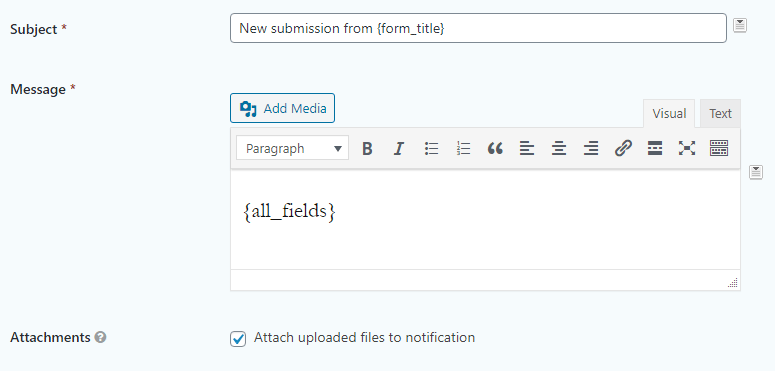
To enable this feature, go to your Notification setting and enable the Attach uploaded files to notification option.
Note: this feature does not apply to the Post Image Hopper field.
Pay attention to how many Image Hopper fields you have in the form and what the Maximum File Size setting is for each field. Many email providers have a conservative attachment size limit, so it’s best to keep the total size under 10MB. As an example, if you had two Image Hopper fields in your form, you should set the Maximum File Size to 5MB for each field so you don’t exceed 10MB total.