
The Post Image Hopper field allows you to easily integrate Image Hopper with WordPress posts and your Media Library. You can find it under the Post Fields section of the Gravity Forms Editor.
At a glance
- Single image per Post Image field (compatible with Gravity Forms conventions)
- Supports downscaling, output quality, and Editor functionality like the standard Image Hopper field
- Image Metadata setting lets users enter title, caption, and description
- Featured Image setting automatically sets the image as the post’s Featured Image
- Images automatically added to the Media Library when form is submitted
- Compatible with merge tags for accessing image URL, title, caption, and description
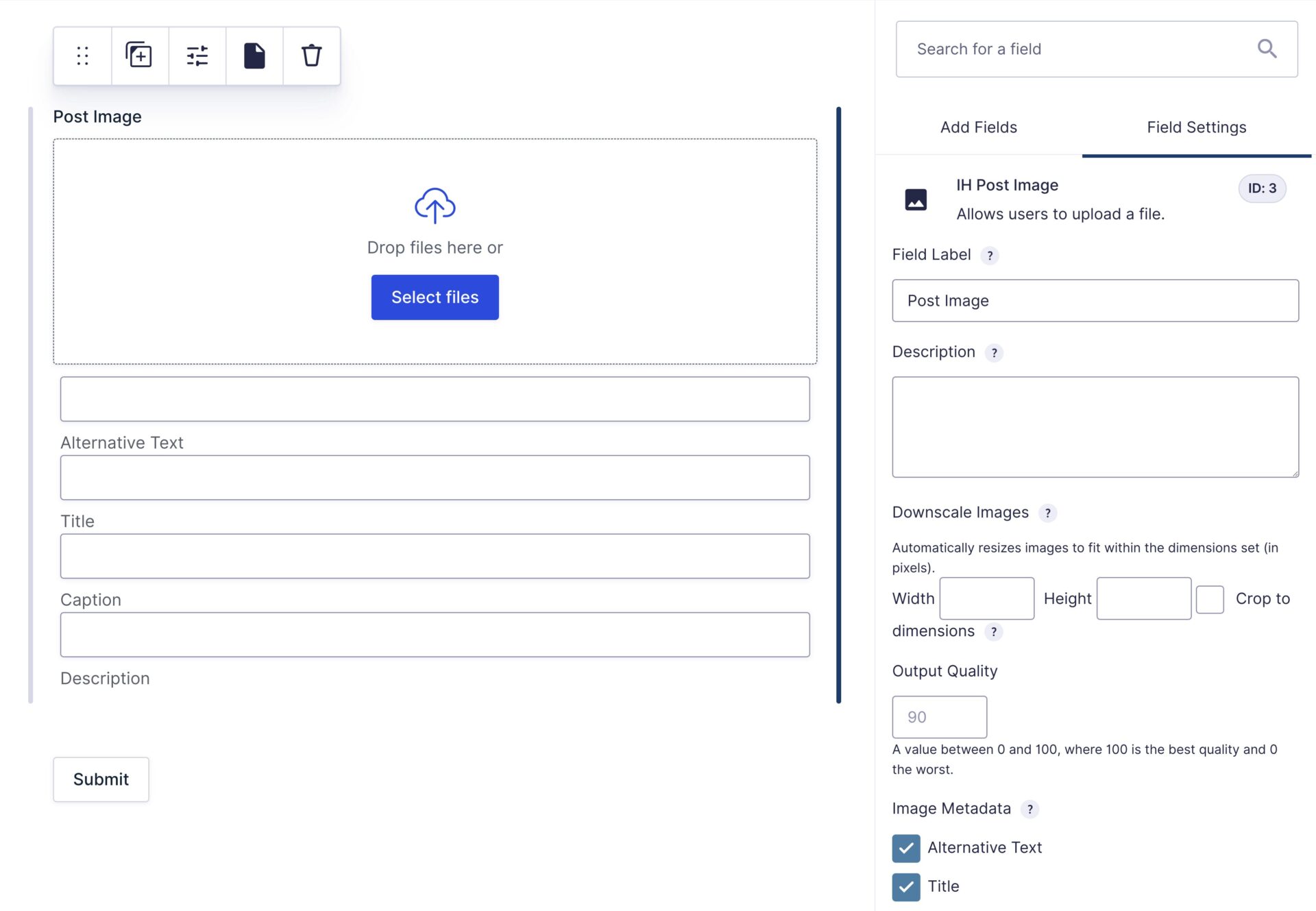
The new Post Image field supports most of the same features of the standard Image Hopper field, but, to match Gravity Forms standard Post Image field, only one image can be uploaded per Post Image field.
Field Settings
This field type supports all the same settings as the standard Image Hopper field (minus how many images can be uploaded). This includes Downscale Images, Output Quality, and the Image Editor functionality (if you have that add-on installed). In addition, the following Post-specific settings are available:
| Setting | Description |
|---|---|
| Image Metadata | Let users enter title, caption, and description for the uploaded image. |
| Featured Image | Automatically set the uploaded image as the post’s Featured Image. |
| Rename Upload | Automatically rename uploads (the default file path cannot be changed). |
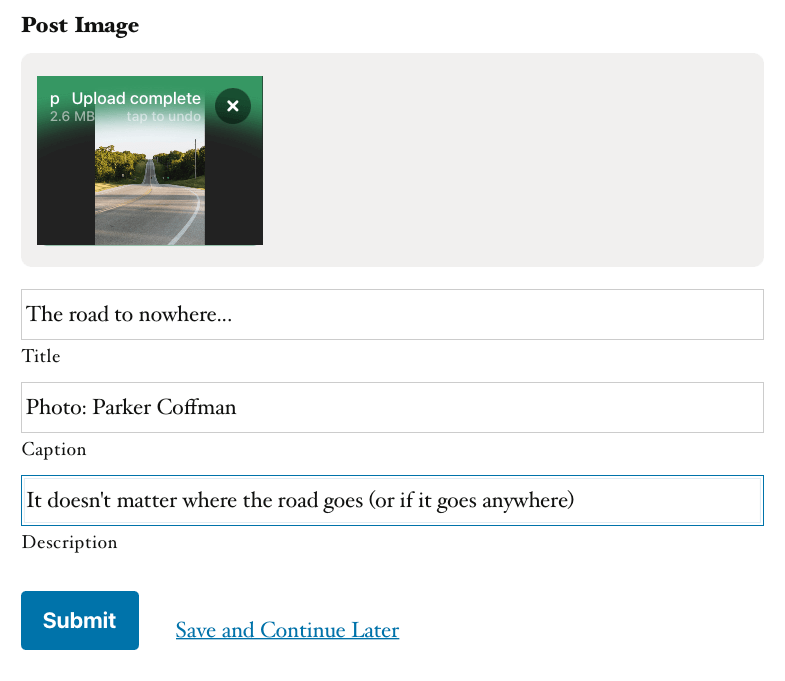
Image Metadata
Enable this setting to let users enter additional information about the uploaded image, including title, caption, and description. The values entered are saved against the image in the Media Library when the form is submitted.
Featured Image
Enable this setting to automatically use the uploaded image as the post’s Featured Image. When a form is successfully submitted, a new Post is created with your Post fields and any Image Hopper Post Images are automatically added to the media library and (optionally) set as the Post’s Featured Image.
Rename Upload
The Post Image field supports file renaming like the standard Image Hopper field, but for compatibility reasons the default file path cannot be changed, and is ignored.
Form Theme
Image Hopper 2.9+ introduced support for Gravity Forms Themes, and when you select a non-default theme (like Orbital) the Image Hopper Post field outputs with an alternate design which integrates seamlessly with the available Theme Settings. The new UI is also used for Gravity Forms Conversational Forms add-on.

Export Entries
When the Image Hopper Post Image field is added in a CSV export of your entries it includes the full URL to the original image, the title, caption, and description separated by a spaceship operator (|:|).
Merge Tags
The Image Hopper Post Image field supports the exact same merge tags as the standard Post Image field:
{IH Post Image:2}— Displays the full URL to the image{IH Post Image:2:title}— Displays the image metadata Title{IH Post Image:2:caption}— Displays the image metadata Caption{IH Post Image:2:description}— Displays the image metadata Description
Note: change 2 in the tags above to the correct field ID of the Post Image field.