Features
Image uploads for Gravity Forms, resized in the visitor’s browser.
Follow one photo from a visitor’s phone to your entry.

In the visitor’s browser, before upload
Turned upright
HEIC converted to JPG
So every browser, PDF and media library can open it.
Resized and compressed
With the field set to Downscale Images 2048 × 2048 px and Output Quality 80.
Edited, with Editor
Crop, filter, finetune, markup, resize or redact.
A real test: this iPhone HEIC photo, stored on its side with the phone’s rotation tag, uploaded through an Image Hopper field set as shown. Your sizes depend on your photos and settings.
From $59 a year, renews yearly
30-day money-back guarantee
Feature comparison
Image Hopper compared with File Upload
Image Hopper adds its own field alongside File Upload. Uploader does the automatic work; Editor adds the image editor on top.
EditorThe Advanced Image Editor is included in every Editor license, along with everything in Uploader. Every license has a 30-day money-back guarantee.
Not sure which you need? Add a photo in the demo and try the editor, then pick a plan.
What customers say

Built by the team behind Gravity PDF
“The easy image resizing functionality alone is a huge win, the UI is beautiful and intuitive… Image Hopper is a huge leap forward!”

Zack Katz
Founder of GravityView
“It has simplified our image collection and editing process while accelerating deliverables to our customer… a must have for anyone that needs image handling using Gravity Forms.”

Cannon Utility Underground Services
“The user experience with the image editor is excellent. And the customer service is fast and effective. Nice work!”

Andrew Pothecary
Already using File Upload?
Convert a File Upload field in one click
Select the field, press Convert in its toolbar, done. Existing entries keep their files, and your confirmations, notifications and feeds need no changes. Changed your mind? The same button switches it back.
Add-ons
Use your photos in the Gravity Forms add-ons you already run
Photos arrive in the PDF, the View, the approval step, the new post and the user profile as pictures, not filenames.
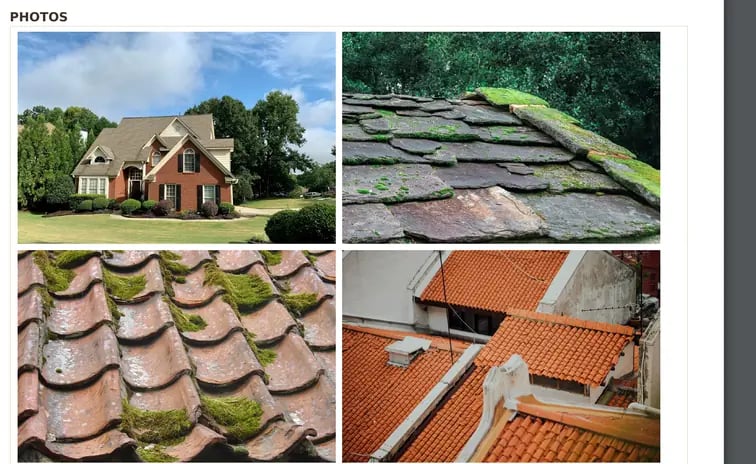
Lay photos out in a PDF
Show images in a 2- to 5-column grid, or use one as a full-page background. Works in the Previewer too.
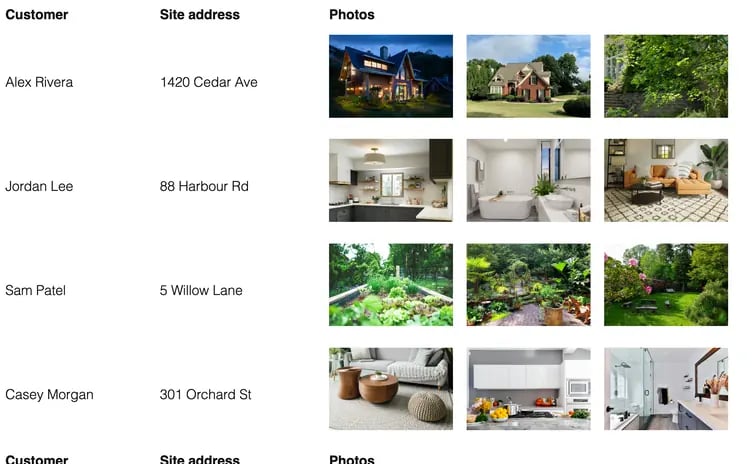
Show photos on your site
Images appear in table and list Views, with a lightbox gallery, and entries can be edited from the front end.
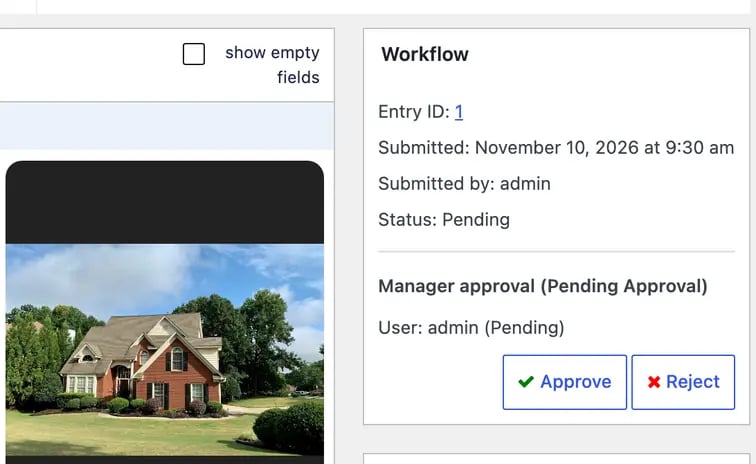
Approve photos in a workflow
Approvers see the picture, not a filename, in User Input and Approval steps, the admin inbox and the inbox shortcode.
Turn submissions into posts and users
- Advanced Post Creation
Images go into the Media Library, with a featured image and a gallery from{apc_media}. - Custom Post Types
The Post Image Hopper field can create posts in any custom post type. - User Registration
Map images to user meta, and use the first as the user’s avatar with a supported avatar plugin. - Gravity Perks Media Library
Uploads go into the Media Library, with all of Gravity Wiz’s image merge tags.
Send photos to other services
- Dropbox
Copy images to a Dropbox folder on submission, with your own folder path and filename. - Zapier
Image URLs go out as a list and an array. Post images send title, caption and alt as separate fields. - GravityView Import Entries
Image URLs in a CSV become images again on import, for moving entries between sites.
Add photos to orders and nested forms
- WooCommerce Gravity Forms Product Add-Ons
Photos stay on a product form when the customer goes back to edit it from the cart. - Nested Forms
Use Image Hopper inside a nested form, for repeating groups such as one row per room.
Each add-on has its own setup guide. All add-on guides
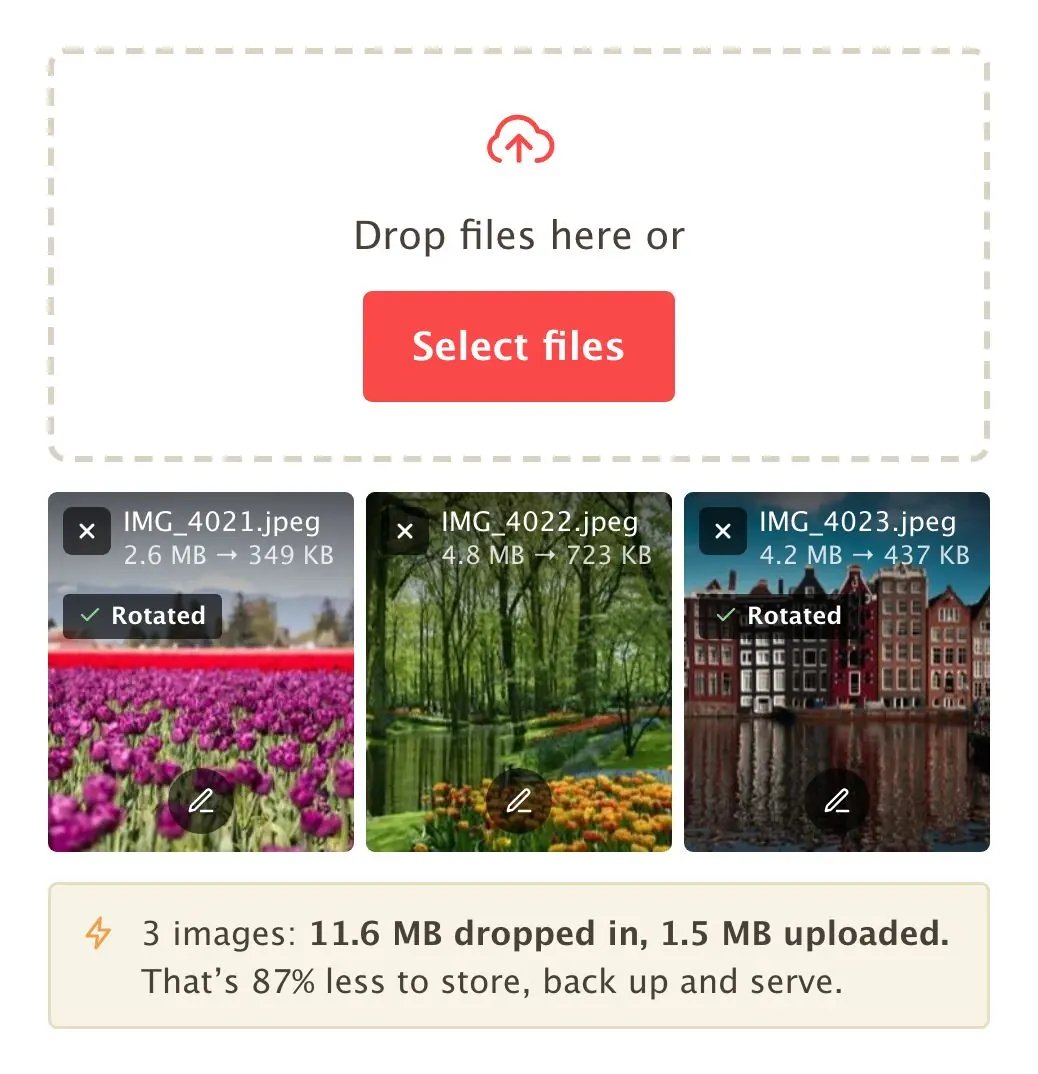
In the visitor’s browser
Resize images before they upload.
All of this runs on the visitor’s phone or computer, before anything is sent to your server. You set it once on the field.
Resizes to fit
Scaled down to fit the width and height you set, aspect ratio kept. Smaller photos are left alone.
Turns photos upright
Reads the rotation the phone stored and saves the photo upright.
Converts iPhone HEIC to JPG
A format every browser, PDF and media library can open.
Compresses to your quality
Set quality from 0 to 100. Lower is smaller, higher is sharper.
Checks the size after resizing
Measures the limit on the resized file, not on the original.
Blocks or warns about small photos
Block photos under the minimum width or height, or accept them with a warning.
In the form and the entry
Uploading, checking and reviewing photos.
Editing before uploadEditor
The Advanced Image Editor, inside your form.
The visitor can crop, fix the color, draw on the photo or redact part of it, in their browser, before it uploads. Undo and redo work throughout. You choose which of the six tools they get.
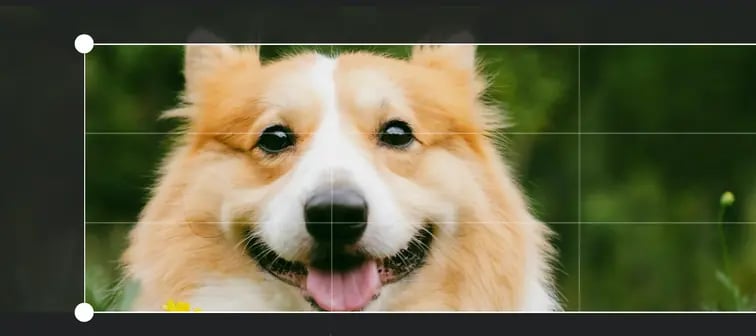
Crop
Crop, rotate, flip, and straighten by up to 45° either way, with the output size shown as they go.
Rotate left and right · Flip horizontal and vertical · Manual rotation −45° to +45° · Display size readout
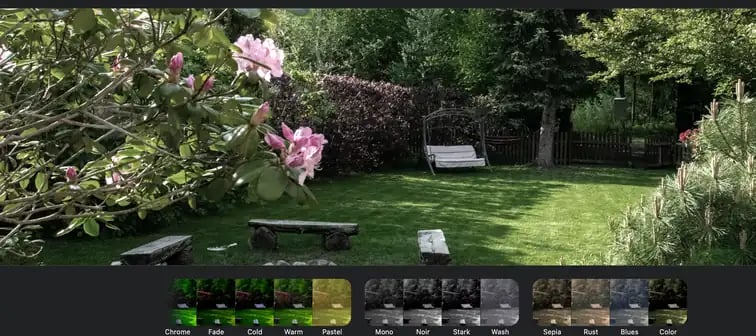
Filter
Choose from 13 one-tap looks. You can also apply one automatically to every upload.
Pastel · Chrome · Fade · Warm · Cold · Mono · Mono Noir · Mono Wash · Mono Stark · Sepia · Sepia Blues · Sepia Rust · Sepia Color
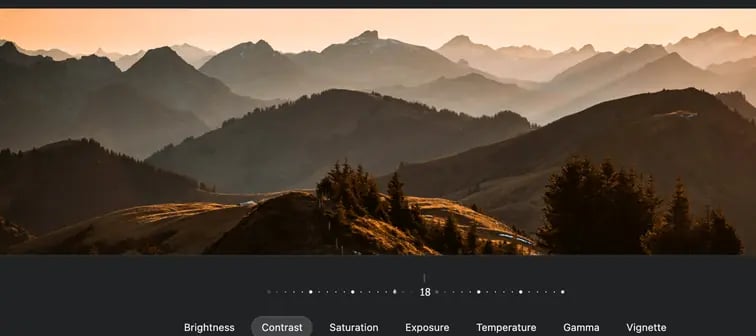
Finetune
Fix a dark, dull or washed-out photo, one slider at a time.
Brightness · Contrast · Saturation · Exposure · Temperature · Gamma · Clarity · Vignette
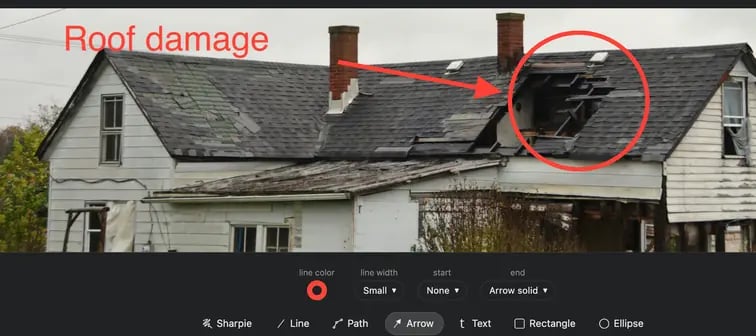
Markup
Draw on the photo. Text can be one line, or a box dragged out for several.
Draw · Line · Arrow · Text · Square · Circle · Path, each with its own color and thickness
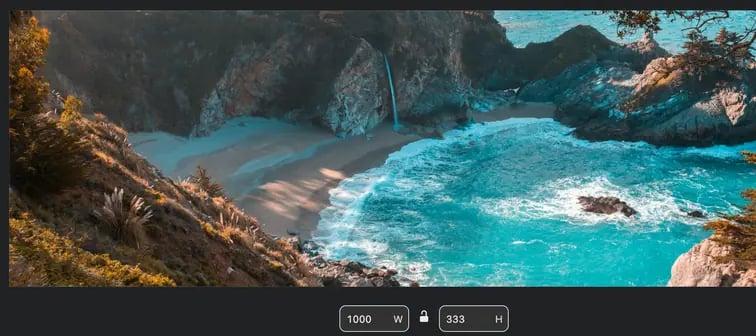
Resize
Scale the photo up or down to an exact size.
Width and height · Aspect ratio locked by default
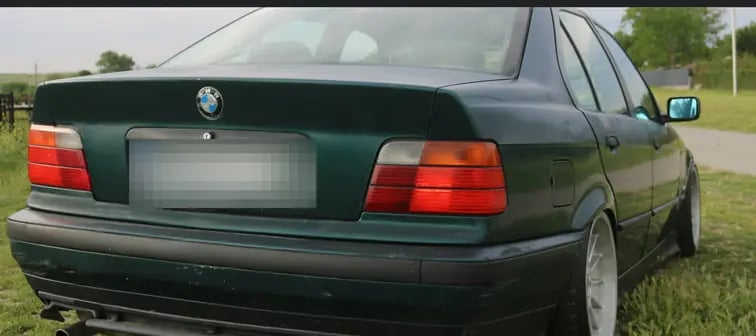
Redact
Mask a face, a license plate or an address.
Only the masked copy uploads.
Included in Editor, from $99 a year. Try it on your own photos in the demo.
Set up the editor for each field.
Each upload field has its own editor settings. A headshot form might only need cropping, while a damage report adds drawing and redaction.
- Which tools visitors get
- Pick a preset: Essentials for cropping and rotating, Color for filters and adjustments, Annotate for drawing, arrows, text and redaction, or All. Switch single tools on or off to build a custom set.
- When the editor opens
- Open it on every upload, or let visitors open it from the pencil on each photo so they edit only if they choose. For redaction, open it on every upload, since the original stays off your server only when a visitor redacts.
- Where the editor starts
- Set the tool it opens on, a filter applied to every photo such as Noir or Fade, and the markup tool and color ready to use.
- Editing after submit
- Staff can edit a submitted image from the entry screen, with the tools the field allows.
- Editor appearance
- Show the editor in Light or Dark, or Automatic to follow the visitor’s device.
Common ways to use Image Hopper
Examples
Quote requests
Roofers, landscapers and movers ask for photos of the job. They arrive upright and resized, in a folder per entry.
Property listings
Agents and owners send listing photos. Each submission becomes a post, with a featured image and a gallery.
Member and profile photos
Headshots and logos become the user’s avatar through User Registration. With Editor, visitors crop them first.
Orders with customer photos
Photos for custom prints and gifts stay with the order in the cart. Per-photo pricing needs a payment add-on.
Warranty claims and returns
Customers photograph the fault and the serial number. The images arrive attached to your notification email.
Get Image Hopper
Get photos you can use as they arrive.
Install it, convert your File Upload field in one click, and the next photo a customer sends arrives upright, resized and ready for your add-ons.
- Money-back guarantee. Email us within 30 days for a full refund.
- Easy to undo. The same button turns it back into File Upload, and entries keep their files.
- A certified Gravity Forms add-on, built by the team behind Gravity PDF.