
The Advanced Post Creation add-on allows you to use any field type in your form to create Posts, Pages, or Custom Post Types with ease. Image Hopper integrates natively with this add-on and allows you to add the standard Image Hopper field images to the Media Library. You can also set a Featured Image and the first image uploaded to Image Hopper will be used.
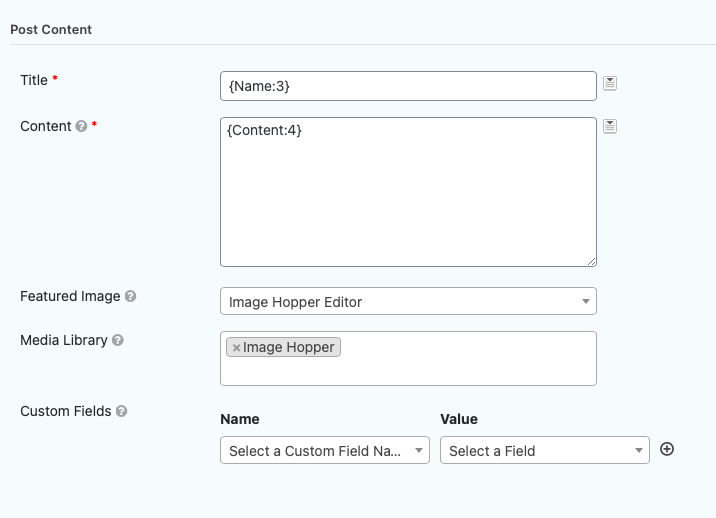
If you reference the Image Hopper field in the Post Content or Featured Image, those images will automatically be added to the Media Library.
Image Hopper also supports the {apc_media} Mergetag, so you can get the URL or IDs of the images uploaded to the Media Library. You can use the {apc_media} Mergetag in the Content area or Custom Fields. This can be very useful if you want to display a gallery of Image Hopper images in your post:
Note: the Advanced Post Creation plugin doesn’t support Gravity Forms Post fields, which includes the Image Hopper Post Image field type.